Scroll back through a week of copying, and the mix gets odd quickly. A flight booking link sits next to a cropped chart and half a sentence from an email. Below those, you might find a GIF from a group chat and a color value from a design app. An OCR clipboard manager for Mac has to decide what to do with each one. Should it keep the item as it was, flatten it into plain text, or drop it altogether?
Those choices decide whether an OCR clipboard manager for Mac feels useful a month from now or just long. Let’s go through the list one type at a time, with SnipVault as the example, and finish with what it leaves out on purpose.
Plain and Styled Text in a Mac Clipboard Manager
Text is the obvious place to start, and it is less simple than it looks. Apple’s developer guide explains that a pasteboard can hold several versions of one copied item. A rich text editor might offer styled and plain copies of the same words at once.
SnipVault keeps the text you copy, with no upper limit on history and full-text search across all of it. It keeps text you cut as well, which rescues that paragraph you removed from a draft and then wanted back. When styled text would clash with the document in front of you, ⇧⏎ pastes plain text instead.
Snippets can reshape stored text on the way out, too. A pipe modifier like {clipboard | trim | uppercase} trims stray spaces and switches the case at paste time.
See also: Mac Cleaner Software License Online: What the Payment Screen Should Show You
Links Saved with Their Page Titles
A bare URL says very little three weeks later. SnipVault stores links as rich links with their titles, so you see the page name while you scan the list. ⌘L narrows the palette to links only.
One odd detail sits close by. Your Chrome and Firefox bookmarks show up in the palette under ⌘B. SnipVault reads them live from the browsers, though, and never copies them into the vault. The exception is a page you save yourself with ⌃⌘B, which SnipVault does keep. Safari bookmarks stay out, since reading them would require Full Disk Access.
Images and OCR Screenshots Stored as One Searchable Card
Images you copy go into the vault as images, and ⌘I filters the list down to them.
Snips taken with ⇧⌘2 get different handling. Drag across any region, and SnipVault saves the cropped image and the words inside it as one card. Apple’s Vision engine handles that reading locally. Snip a QR code, and you get its contents as plain text.
Why keep both halves? Text by itself can drift from its source, and a picture by itself cannot be searched. Keeping them together gives you a card you can find first and check second. ⌘S narrows things to those captures when the list gets long.
GIFs That Stay Animated in Your Clipboard History
Then there are GIFs. Depending on how a tool handles them, a copied GIF can end up as a frozen frame or a bare file path.
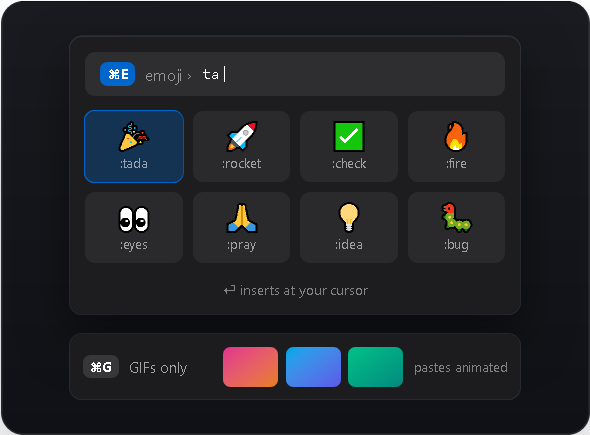
SnipVault keeps a copied GIF as a real animated GIF, and it still moves when you paste it back. GIF files copied in Finder come through as GIFs too, and ⌘G shows only those.
Is this a serious feature? It might not be. It still spares you one small, silly annoyance in team chats, and those tend to pile up over a week.
Files and Colors in an OCR Clipboard Manager for Mac
Files copied in Finder appear as cards as well, and ⌘O opens a file or a link in the app it belongs to. Colors get cards of their own, which suits anyone lifting values out of design tools. A color card saves a trip back to the design file when a developer asks for the exact value.
Colors are a normal part of the Mac pasteboard, by the way. Apple’s documentation lists colors alongside URLs, images, and text among the common items apps can copy and paste.
Apple describes the clipboard history in macOS Tahoe as a place to browse text, images, links, and files you copied recently. SnipVault’s list runs longer, with colors, animated GIFs, and OCR captures, and it keeps items until you delete them.
Where Your Stored Clips Live and How to Move Them
Everything above sits in a local SQLite vault, and there is no account attached. Backing it up or wiping it is your call, since the file lives on your own disk.
Are you moving to a new Mac? Export the vault as a .snipvault file and import it on the other machine. Sync between Macs also runs through your personal iCloud account, where available, and secrets like those codes never sync.
It runs on macOS 13 Ventura and anything after it, on Intel or Apple Silicon, and the 7-day trial skips the credit card step.
Visit snipvault.io/download, copy a normal day’s worth of things, and check how each type looks in the vault by evening.