A deposit dispute is rarely won by the side with the better argument. It is won by the side with the better evidence: a dated check-in report, clear photos of every wall and fixture, and a signature showing the tenant saw it.
That is why property managers are moving inspections off clipboards and into purpose-built apps. Teams that invest in Flutter app development can ship one inspection app to Android and iOS tablets, with checklists, photo capture, and reports that work even in a basement with no signal.
This guide covers what the app must do, the evidence standards that matter, and the architecture underneath. It reflects how Acquaint Softtech, an ISO 27001-certified team, builds field and AI-driven inspection products for clients across the USA, UK, Europe, and Australia.
What a property inspection app does
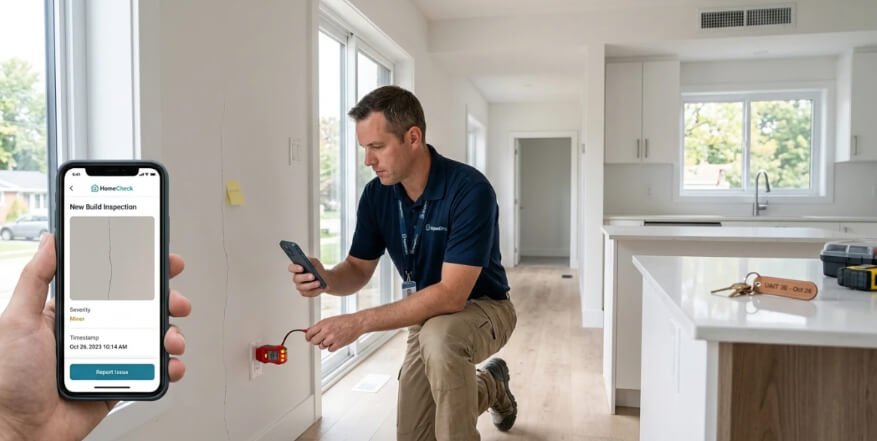
A property inspection app lets an inspector walk a property with a phone or tablet, record the condition of every room against a checklist, attach photos to each item, and produce a signed report before leaving the site.
Who uses it
Property managers use it for move-in, move-out, and routine visits. Landlords and tenants rely on its reports to settle deposits, while maintenance teams turn its findings into work orders. Each role needs a different view of the same inspection record.
Inspection types the app must support
An inspection app should support every visit type your portfolio runs, because each one asks a different question and needs a different template.
| Inspection type | Question it answers | Common trap |
| Move-in (check-in) | What condition was the property in at the start? | Too few photos to compare against later |
| Move-out (check-out) | What changed during the tenancy? | Different room names from the move-in report |
| Routine or periodic | Is the property being looked after? | Visits missed with no reminder |
| Compliance | Does it meet a legal or funding standard? | Using a generic template for a regulated check |
Match move-in and move-out line by line
Build move-out templates from the move-in record itself, so every room and item lines up. A side-by-side comparison is what makes a deduction easy to justify.
Mobile checklists inspectors actually finish
A good mobile checklist is short by default and expands only when something is wrong. Conditional logic, which shows follow-up questions only for failed items, keeps a 60-item inspection from feeling like 200.
Offline-first, required fields, and ratings
Store every answer on the device first, then sync when a connection returns. Make critical items mandatory, use a consistent condition scale such as good, fair, or poor, and let inspectors dictate notes by voice instead of typing on a small screen.
Photo documentation that holds up in a dispute
Photo evidence holds up when it is provably taken at that property, at that time, and not edited afterwards. Capture the proof automatically, since inspectors will not add it by hand.
| Evidence element | Why it matters | How the app captures it |
| Timestamp | Proves when the condition existed | Device time checked against server time on sync |
| Location | Proves the photo was taken on site | GPS stored with each photo, where permitted |
| Checklist link | Shows exactly what the photo documents | Photo attached to a specific room and item |
| Integrity check | Shows the image was not altered | A file hash, a digital fingerprint, stored at upload |
Let AI do the first pass
Computer vision can flag likely damage, missing items, or blurry photos before the inspector leaves the room. Teams usually hire AI/ML engineer specialists to train these models on their own property photos, with a person confirming every flag.
Report generation on site
Report generation should turn a completed checklist into a branded, signed PDF automatically, with photos placed beside the items they document. The inspector should never retype anything.
What a strong report includes
Include a summary of issues, room-by-room condition ratings, photos with timestamps, comparison with the previous inspection, and signatures from the inspector and, where possible, the tenant. Share it by link and keep an unchangeable copy in the record.
Regional rules at a glance
Inspection and deposit rules vary by market, so templates and deadlines should be configurable per region.
| Region | Key rule | What the app must support |
| England | Housing Act 2004: deposits protected in an approved scheme within 30 days | Check-in inventory evidence for scheme disputes |
| USA (California) | Civil Code 1950.5 | Itemized deduction statement within 21 days of move-out |
| USA (HUD housing) | NSPIRE standard, replacing UPCS for public housing from July 1, 2023 | NSPIRE-aligned deficiency templates |
| Australia (NSW) | Residential Tenancies Act 2010 | A condition report at the start of each tenancy |
| EU and UK | GDPR and UK GDPR | Blur or avoid people in photos; limit retention |
The data model behind it
The data model should treat each inspection as a versioned record linked to a property, its rooms, its items, and its photos. Nothing in a submitted inspection should be overwritten.
Templates, versions, and sync conflicts
Version templates so old reports still render correctly after a checklist changes. Resolve sync conflicts with clear rules, and keep an audit trail of who edited what, and when.
What drives the build effort
Build effort depends on how many inspection types, devices, and regions you support. Offline sync and photo handling take the most engineering and testing time.
| Scope | What you get | Main effort driver |
| First release | Move-in and move-out templates, photos, PDF reports | Offline storage and photo upload |
| Portfolio platform | Custom templates, AI photo checks, comparisons, regional rules | Template engine and model training |
Test in the field, not only the office
Weak signal, low light, and old devices break inspection apps. Many teams hire automation tester support to run sync and upload tests across devices on every release.
Proof: an AI photo inspection platform we upgraded
Photo inspection lives or dies on real-world conditions. Good2Know, an Estonian platform that inspects used cars from a single phone photo, asked Acquaint Softtech to upgrade its AI system and web app between May and August 2025. The account below is drawn from the client’s verified 5.0 Clutch review.
| Challenge | Solution | Result |
| Model missed small flaws like dents and prior repairs | New tagging system and training pipeline on thousands of photos | Users gained confidence as minor flaws were flagged |
| Low-light photos seemed unusable | Improved image preprocessing | Car shapes read even in dim parking areas |
| Results felt unclear to users | Confidence explanations, admin review of flagged cases, saved inspection dashboard | Fewer support calls about ambiguous results |
Co-Founder and CEO Tomi Keinanen put it simply: “They were willing to address real issues.” For property inspections, that means designing for dust, darkness, and dead zones from day one.
FAQs
What is a property inspection app?
It is a mobile app that lets inspectors record property condition against a checklist, attach photos to each item, and generate a signed report on site.
Can a property inspection app work offline?
It should. A well-built app stores checklists and photos on the device and syncs them automatically when a connection returns.
What makes inspection photos valid evidence?
Photos carry the most weight when they are timestamped, linked to a specific room and item, taken on site, and stored in a way that shows they were not edited.
How long should a move-in inspection take?
It depends on property size and condition. A clear template with conditional questions and automatic photo tagging keeps it far shorter than paper.
Can AI detect property damage from photos?
Yes, computer vision can flag likely damage or missing items. A person should still confirm each flag before it goes into a report.
What should a move-out report compare?
It should compare each room and item against the move-in report, side by side, with photos from both visits and notes on any changes.